CONTENT
- Creating a request
- 1. Pay via the accounting department
- 2. Paid by the institutional payment card
- FAQ
- Save the form in PDF format
- Tutorials on other possible request settings
Creating a request
The form will appear after clicking on "Create New Request" in the Albína header and selecting the type of request -> Business trip payments.
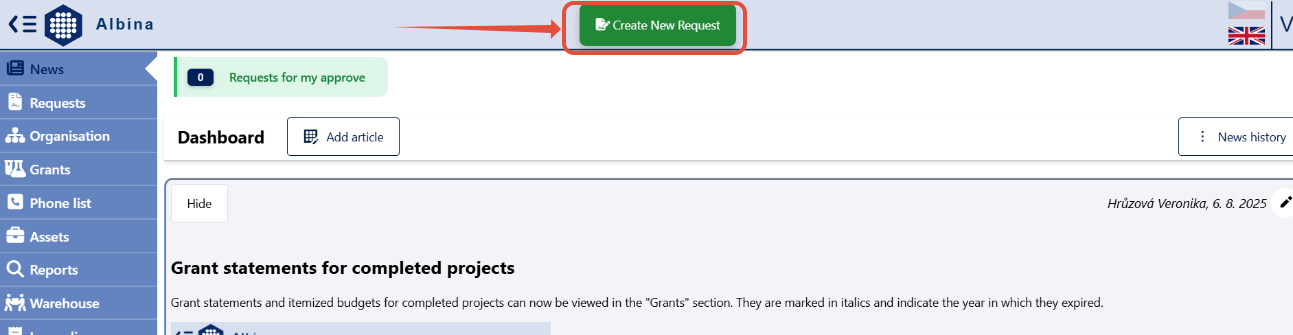
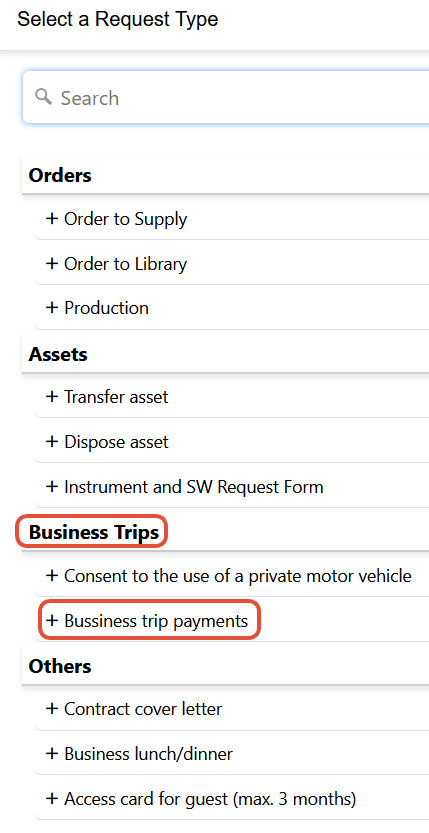
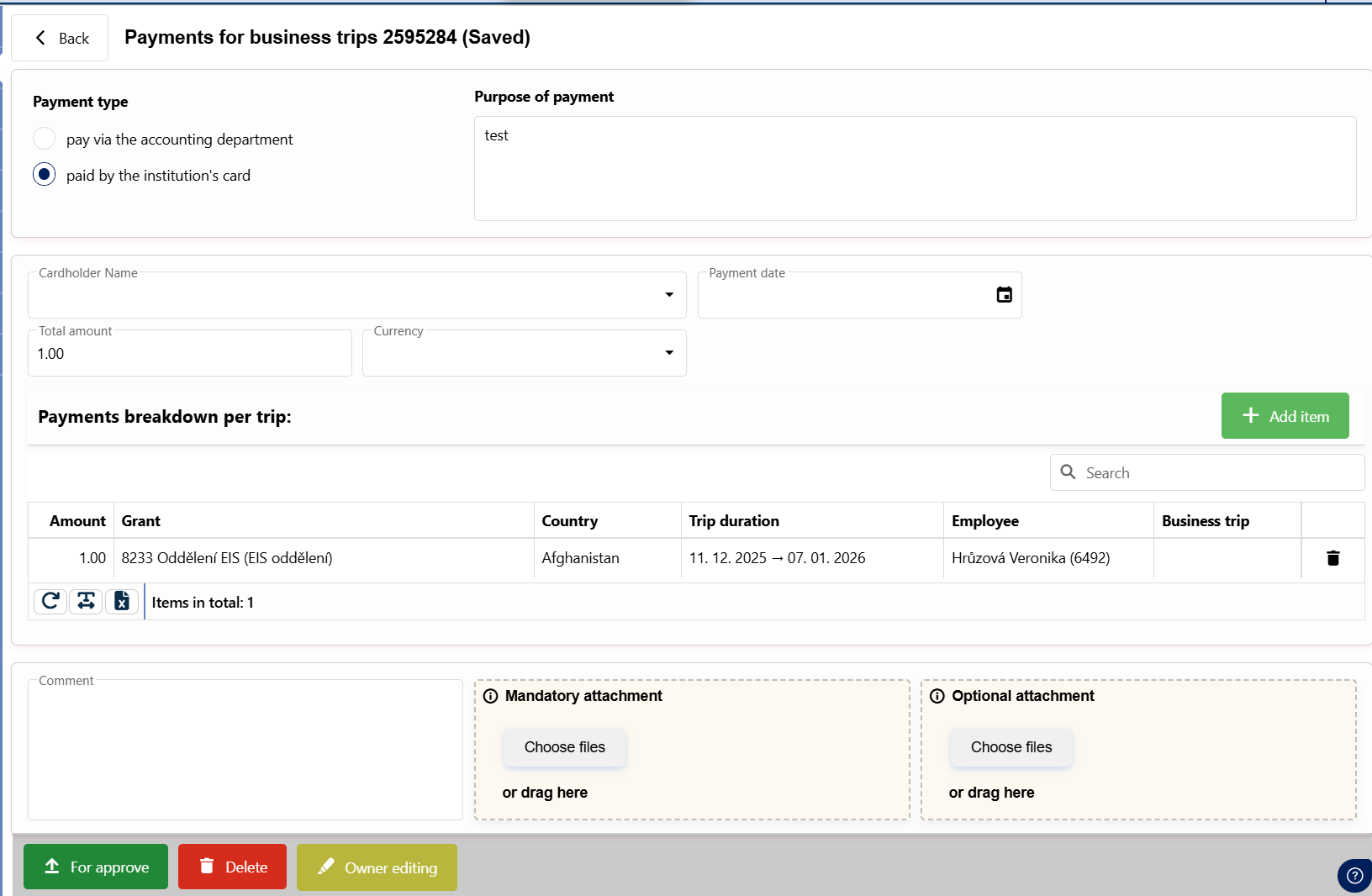
Select the payment type, fill in the purpose, and click +Create business trip payment.

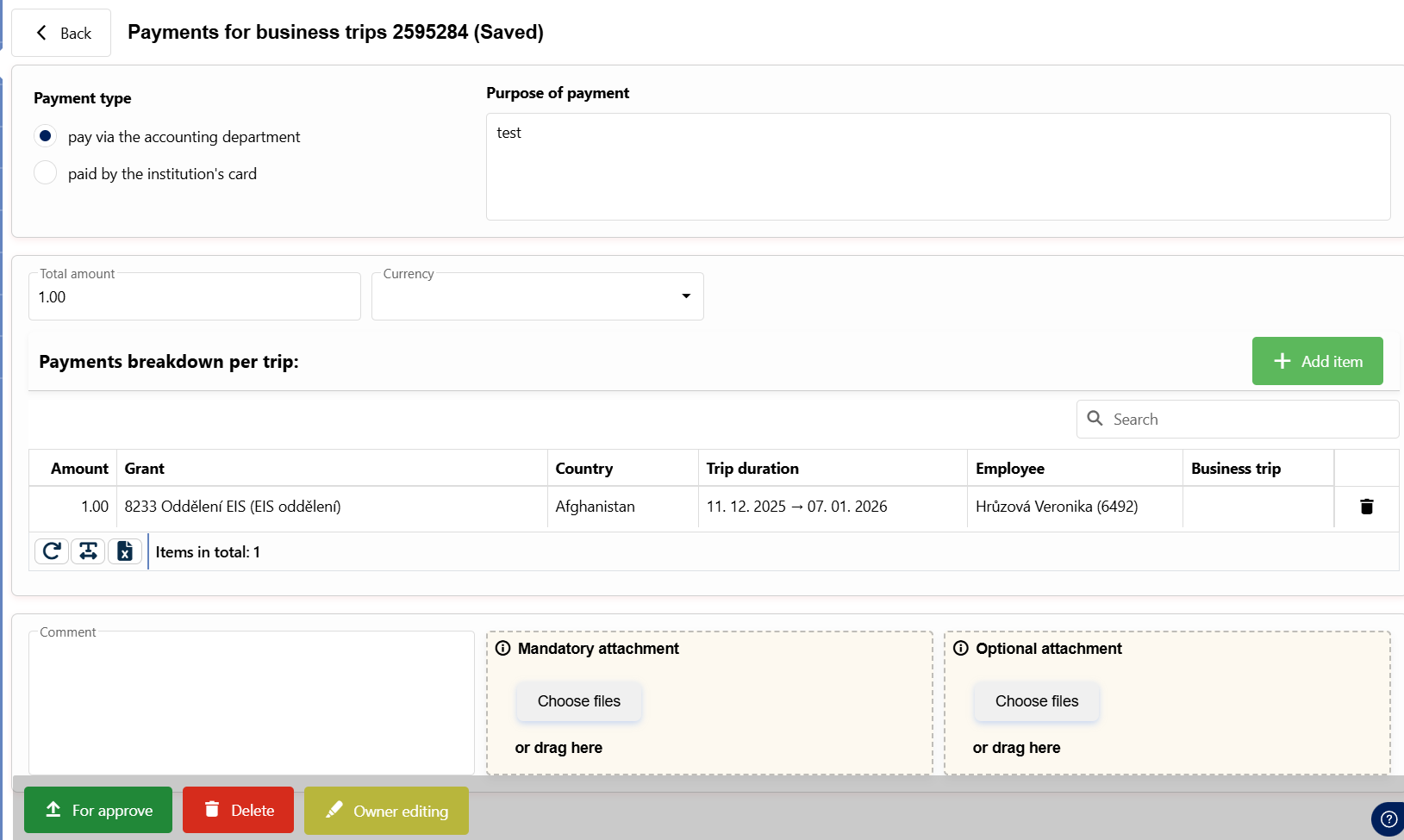
1. Pay via the accounting department
If you have a document (invoice, advance invoice, payment details) related to a business trip and it needs to be submitted to the accounting department for reimbursement, fill in the necessary details about the business trip, the total price, and attach the document to the Mandatory Attachments. Once the request is approved, this document will be automatically sent to the mailroom for registration and then to the accounting department.
Note: In the "Business trip" field, you can enter the number of the trip whose proposal in OKbase is in the "Proposed" status (i.e., a proposal for a business trip has been created in the OKbase system and sent for approval). After being sent for approval, the rbusiness trip in the request will be displayed no later than four hours after sending.

2. Paid by the institutional payment card
If you paid for expenses related to a business trip with an institutional payment card, fill in the required information about the trip, payment card, date of payment, attach a document proving this payment (invoice, receipt, confirmation of payment) to the Mandatory Attachment, and send it for approval.
Note: In the "Business trip" field, you can enter the number of the trip whose proposal in OKbase is in the "Proposed" status (i.e., a proposal for a business trip has been created in the OKbase system and sent for approval). After being sent for approval, the rbusiness trip in the request will be displayed no later than four hours after sending.

FAQ
Question:
Business trip payment request – I can't enter the business trip number when filling out the form.
Answer: You can only enter the number of a trip for which a business trip proposal has been created in OKbase and submitted for approval. In other words, the trip proposal must have the status "Submitted" or "Approved."
Once a trip proposal is sent for approval in OKbase, it takes a maximum of 4 hours to be transferred to Albína. Transfers from the external OKbase system to Albína occur every 4 hours (at 1:00 a.m., 5:00 a.m., 9:00 a.m., 1:00 p.m., 5:00 p.m., and 9:00 p.m.).
Question:
Business trip payment request – the Business Trip field only shows a list of my own trips. Can I enter a payment related to a colleague’s trip?
Answer: If you know your colleague’s trip number, simply enter it in the Business Trip field in the required format and confirm by pressing Enter. The Country and Trip Period (from, to) fields will then be filled in automatically.
Question:
Business trip payment request – I cannot enter multiple payments for a trip in different currencies.
Answer: Only expenses related to a single card payment can be entered in a single request. This is so that the accounting department can link individual payments from the bank statement to a specific single institutional card payment.
Example 1: Airline tickets for 5 employees were paid for in a single transaction using an institutional card.
For this single payment, one “Business Trip Payment” request is filled out with 5 items—each airline ticket separately, since it involves 5 employees and 5 different business trips. The total price is the payment amount in the specific currency.
Ex. 2: An airline ticket and a conference fee were paid for a single business trip using the institutional card.
Since two separate payments were made, two “Business Trip Payment” requests must be filled out. One request for the flight ticket payment and one for the conference fee payment.
Save the form in PDF format
The form can be saved in PDF format by clicking the "Export to PDF" button found in the Request Detail (after opening the request in the employee's request list).